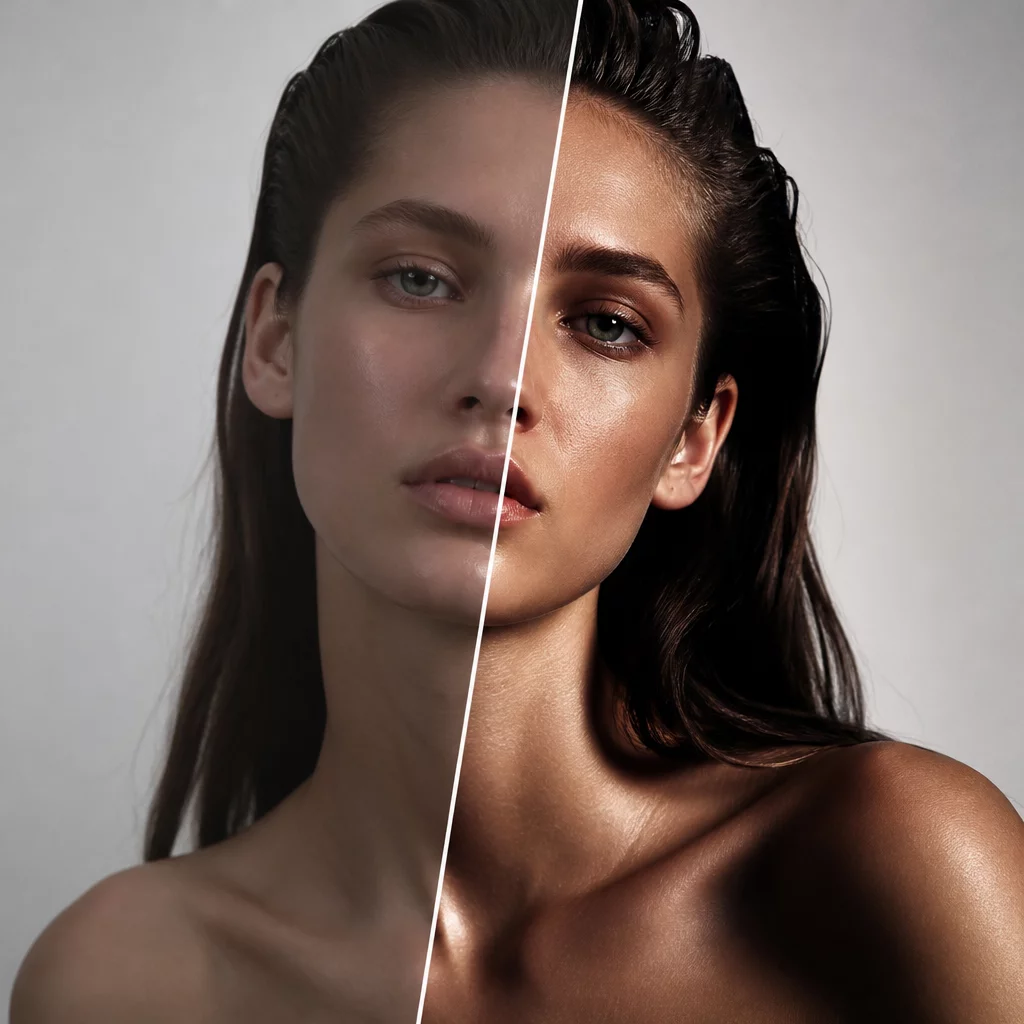
Engineered for Decisive Variant Decisions
High-contrast editorial aesthetics often fall apart when global contrast sliders drag saturated colors into muddy darkness or blow highlights into flat paper white. This preset constructs its punch through custom luma curve shaping and channel-specific level mapping. The result gives high-end portrait and commercial captures an immediate presence, establishing whether a frame demands an assertive, print-ready treatment or a restrained ambient mood.
When testing alternate looks inside Capture One, cloning a variant and applying the Editorial Contrast style lets you inspect image geometry against deep tonal anchors. You can immediately evaluate how light falloff accentuates the model's bone structure, product edges, and background separation before committing to extensive retouching or local brushwork.
Preset Specifications & Compatibility
| Software Support | Capture One Pro 21, 22, 23, 16+ (macOS & Windows) |
|---|---|
| Layer Application | Full support for 0–100% opacity adjustment layers |
| Camera Profiles | Calibrated for Standard, ProStandard, and Flat linear responses |
| Asset Safety | Zero metadata overwriting, 100% non-destructive variant logic |
Recommended Variant Workflow
Follow this structured variant routine to test client selections against the editorial grading:
- Generate a Clone Variant from your neutral base capture (F8 or Image > New Variant > Clone Variant).
- Apply the Editorial Contrast Preset onto a dedicated adjustment layer named 'Editorial Grade' at 85% opacity.
- Use Split View or multi-variant selection (Ctrl/Cmd + click) to compare the neutral master against the editorial direction side by side.